
4K PTZ Camera India: Complete Guide for Professional Video Production

Updated: Oct 31
A 4K PTZ camera is a practical choice for professional video production environments that require detailed video capture, remote camera movement, and flexible framing. From live streaming and online education to corporate meetings and event production, PTZ cameras help simplify camera operation in installations where manually adjusting a camera may not be convenient.
When choosing a 4K PTZ camera in India, it is important to consider more than resolution. Optical zoom, image quality, AI tracking, connectivity, camera control, and compatibility with your existing equipment all influence the right choice.
VIDEOCAST offers PTZ camera solutions for different production requirements. This guide explains the essential features, applications, and selection criteria to help you make an informed decision.
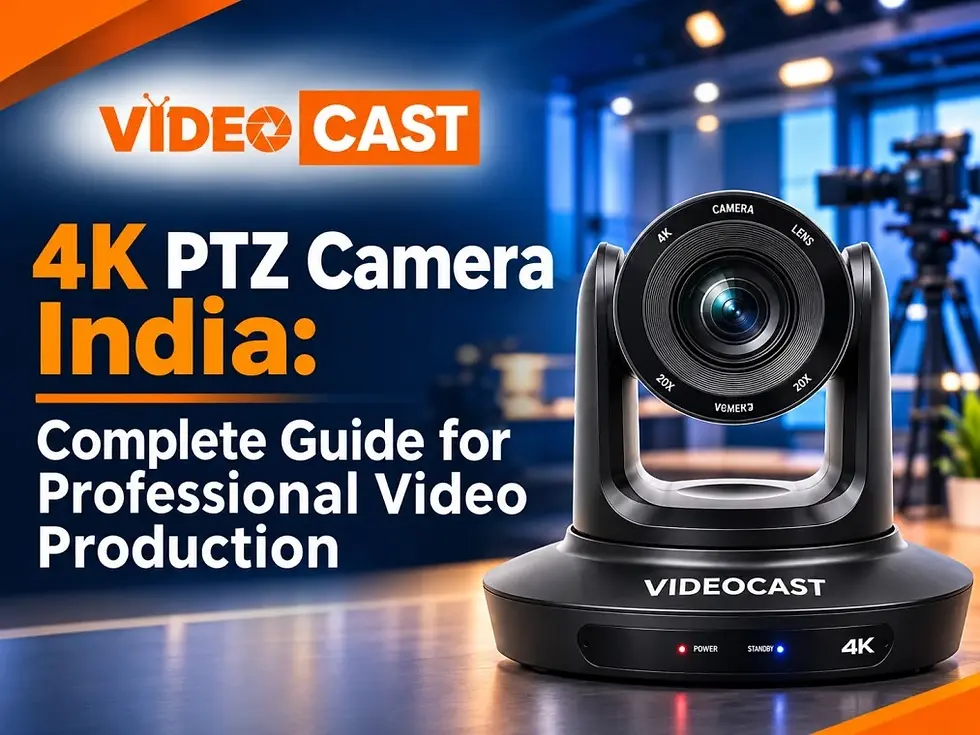
What Is a 4K PTZ Camera?
PTZ stands for Pan, Tilt, and Zoom. These cameras use motorised movement to adjust the viewing angle and zoom remotely.
Pan: Moves the camera horizontally.
Tilt: Moves the camera vertically.
Zoom: Brings a distant subject closer or widens the frame, depending on the lens and zoom setting.
A 4K PTZ camera combines these functions with Ultra HD video capture. Depending on the model, additional capabilities may include AI tracking, preset positions, network connectivity, and integration with video production systems.
These features make PTZ cameras useful for fixed installations where operators need to manage camera angles from a control desk or compatible software.
Important Features to Consider When Choosing a 4K PTZ Camera India
1. 4K Ultra HD Video Quality
4K resolution provides detailed video suitable for presentations, lectures, live events, and professional recordings. However, resolution alone does not determine image quality. The camera sensor, lens, lighting conditions, frame rate, and output settings also affect the final result.
Before buying, confirm the camera's supported resolutions, frame rates, and output formats. Also check that your capture device, switcher, computer, or streaming encoder supports the format you intend to use.
2. Optical Zoom for Different Shooting Distances
Optical zoom is particularly important when the camera is installed far from the subject.
A camera with 10× optical zoom may suit smaller meeting rooms and classrooms. A 20× optical zoom model may be more suitable for larger classrooms, auditoriums, conference halls, and stages.
The right zoom range depends on the camera's installation position, room dimensions, and the level of detail required. Compare the actual lens specifications instead of choosing a camera based on zoom numbers alone.
3. AI Tracking and Auto-Framing
AI tracking can help a compatible camera follow a presenter as they move within its tracking area. Auto-framing features can help maintain a suitable composition during presentations, demonstrations, and lectures.
These capabilities may reduce the need for constant manual camera adjustments. However, tracking performance depends on the model, environment, lighting, movement, and available tracking modes.
If automatic presenter tracking is important to your workflow, verify the exact tracking functions supported by the camera before making a purchase.
4. Connectivity and System Compatibility
A PTZ camera must work with the other equipment in your production setup. Depending on the model, available interfaces may include HDMI, USB, SDI, IP video, or NDI.
Check compatibility with your intended software, video switcher, capture device, streaming encoder, and camera controller. If you plan to use OBS Studio, confirm that the camera's video output or network stream can be configured correctly.
Planning connectivity in advance can help prevent installation and workflow problems.
5. Remote Control and Preset Positions
Remote operation allows users to adjust pan, tilt, zoom, and framing without physically moving the camera. Compatible systems may also support preset positions for frequently used views.
For example, a classroom setup may require different views of the instructor, whiteboard, and presentation area. A conference room may need wide shots and closer views of speakers.
Before installation, check supported control protocols, controller compatibility, and the number of available presets.
VIDEOCAST 4K PTZ Camera Options
VIDEOCAST offers different PTZ camera models for professional video production and other applications. Compare their specifications against your installation requirements before selecting a model.
VIDEOCAST VC90 4K PTZ Camera
The VIDEOCAST VC90 is an option to consider for teaching, video recording, live streaming, and content creation. Review its listed optical zoom, AI tracking capabilities, video outputs, and control options to determine whether it fits your setup.
Explore the VIDEOCAST VC90 4K PTZ Camera.
VIDEOCAST VC90A 4K AI Tracking PTZ Camera
The VIDEOCAST VC90A is designed for applications that include online teaching, worship, and video production. Compare its listed zoom range, tracking functions, connections, and operating requirements with those of other models.
View the VIDEOCAST VC90A PTZ Camera.
VIDEOCAST VC90 Pro PTZ Camera
The VIDEOCAST VC90 Pro is another model to consider when evaluating PTZ camera options for professional production. Review the product listing to confirm its available zoom, AI tracking, voice tracking, and NDI-related features for your intended configuration.
Explore the VIDEOCAST VC90 Pro 4K PTZ Camera.
Always confirm the latest specifications and compatibility requirements for the individual model before purchasing.
Applications of 4K PTZ Cameras
Live Streaming and Broadcasting
A PTZ camera can capture presenters, stages, and wide venue views while allowing an operator to control framing remotely. When connected to compatible production equipment, it can become part of a multi-camera streaming workflow.
For a complete production setup, consider camera outputs, switching equipment, audio, capture devices, network requirements, and the streaming platform.
Learn more about VIDEOCAST live streaming solutions.
Online Teaching and Lecture Capture
Educational institutions can use PTZ cameras to record instructors, classroom demonstrations, whiteboards, and lecture presentations. Remote control and compatible tracking features can support online lessons and hybrid learning.
When selecting a camera for education, consider room size, mounting position, presenter movement, zoom requirements, and integration with the institution's existing teaching platform.
Learn more about VIDEOCAST Education & Online Learning.
Corporate Meetings and Conferences
PTZ cameras can be installed in meeting rooms and conference spaces to capture presenters and participants. Remote control and presets can help operators switch between different views during meetings, training sessions, and presentations.
Check compatibility with your video conferencing system and the required audio and video connections.
Learn more about Corporate Communication & Conferencing
Houses of Worship and Event Venues
In worship spaces, auditoriums, and event venues, PTZ cameras can capture speakers, stages, and different areas of a room without requiring an operator to reposition the camera manually.
The appropriate camera depends on the distance to the stage, lighting conditions, installation height, desired framing, and production workflow.
Learn more about House of Worship.
Studios and Content Creation
Video studios and content creators can use PTZ cameras for repeatable framing and remote camera operation. Multiple camera angles may be managed through a compatible controller or production system, depending on the setup.
How to Choose the Right 4K PTZ Camera
Before selecting a camera, evaluate these practical requirements:
1. Room size and shooting distance: Estimate how far the camera will be from the presenter or subject.
2. Optical zoom: Choose a suitable zoom range for the intended framing.
3. Tracking requirements: Decide whether manual operation, AI tracking, or auto-framing is needed.
4. Video output: Confirm the connections supported by your switcher, capture device, or computer.
5. Camera control: Check whether you need a compatible controller, software control, or preset positions.
6. Installation: Consider mounting, cable routes, power, and network requirements.
7. Budget: Evaluate the complete system cost, including accessories and installation, rather than the camera alone.
Comparing these requirements can help narrow the available options and reduce compatibility issues later.

4K PTZ Camera vs Traditional Camera
Both PTZ cameras and traditional cameras can be useful for professional production, but they suit different workflows.
Feature | 4K PTZ Camera | Traditional Camera |
Camera movement | Motorised pan and tilt | Often adjusted manually or with compatible equipment |
Zoom operation | Remotely controlled on supported models | Depends on lens and camera configuration |
Preset positions | Often available | Depends on the camera and system |
Fixed installation | Suitable for permanent setups | Also suitable |
Common applications | Remote operation, classrooms, meetings, live production | Handheld filming, flexible shooting, and varied production styles |
The best option depends on how the camera will be operated, the required image quality, the available crew, and the overall production workflow.
Building a Compatible PTZ Live Streaming Setup
A basic live streaming workflow may look like this:
4K PTZ Camera → Compatible Capture Device or Video Switcher → Computer or Streaming Encoder → Streaming Platform
For multi-camera production, additional cameras can be connected through compatible switching equipment. Ensure that the video formats, connections, control methods, and network settings are supported across the system.
Before installation, check cable distances, power requirements, camera control, audio integration, and the streaming platform's supported formats.
Frequently Asked Questions
What is a 4K PTZ camera used for?
A 4K PTZ camera is used for applications such as live streaming, online teaching, corporate meetings, conferences, worship services, and professional video production. Its motorised movement allows remote adjustment of camera framing.
Is a 4K PTZ camera suitable for live streaming?
Yes. A compatible PTZ camera can be used for live streaming when its video output works with the selected capture device, switcher, computer, or encoder and streaming platform.
Is 10× or 20× optical zoom better?
Neither is universally better. A 10× zoom may be sufficient for smaller rooms and closer subjects, while 20× zoom can be useful for larger spaces or more distant subjects. Select according to camera placement and shooting distance.
Do all 4K PTZ cameras support AI tracking?
No. AI tracking depends on the model and configuration. Check the product specifications to confirm which tracking features are available.
Can a PTZ camera work with OBS Studio?
A PTZ camera can work with OBS Studio when a compatible video output or network stream is available and the required capture or network configuration is supported.
What should I check before buying a PTZ camera in India?
Review video resolution, optical zoom, tracking features, connectivity, remote control, installation requirements, warranty, and compatibility with your existing equipment.
Where can I explore VIDEOCAST PTZ cameras?
Visit the VIDEOCAST website to explore available products and review the specifications of individual PTZ camera models.
Conclusion
Choosing a 4K PTZ camera involves matching the camera's capabilities to your actual production needs. Resolution, optical zoom, AI tracking, connectivity, remote control, and installation requirements should all be considered before making a decision.
Whether you are planning a classroom installation, corporate meeting room, worship setup, studio, or live streaming workflow, comparing these factors can help you identify a suitable solution.
Explore VIDEOCAST's PTZ camera range and compare individual model specifications to find equipment that fits your professional video production requirements.


Comments